 Half Stop
Guide
How to save a Fujifilm recipe from Instagram
A Fujifilm recipe is a list of in-camera settings that gives your JPEGs a particular look, often modelled on a film stock. Thousands are shared on Instagram, usually in a caption or on the last slide of a carousel, and most end up lost in saved posts. This guide covers getting one off Instagram and into one of your camera's custom slots, plus what to do when it doesn't go to plan.
Is it a full recipe? · With Half Stop · Links, reels and screenshots · By hand · Once it's in the camera · When it doesn't work · What's in a recipe
First: is it a full recipe?
Plenty of posts name a look ("Kodak Portra vibes") without the settings behind it. Before saving, check the post gives you at least these:
- A film simulation, such as Classic Chrome, Classic Negative or Reala Ace. Without one, it isn't a recipe.
- White balance, ideally with its shift (for example "Daylight, +2 Red, −4 Blue"). This does most of the work on colour, so a recipe without it rarely looks like the photos.
- Tone settings: highlight, shadow, colour and, on newer cameras, clarity.
- Dynamic range and grain, which are often missing; when a setting isn't listed, the creator usually left it at Off or 0.
Also look for the camera or sensor it was made for. A recipe built on an X-Trans V camera can use a simulation an older body doesn't have.
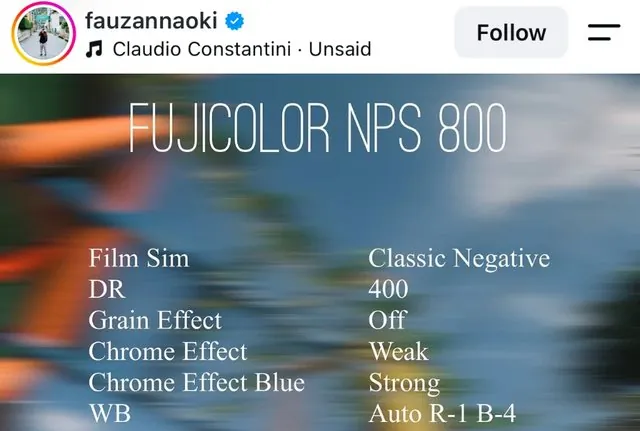
With Half Stop, in four steps
1. Open the post's share menu
Tap the paper-plane icon under the post and choose Half Stop from the row of apps. If you can't see it, scroll that row all the way right, tap More, and switch Half Stop on (adding it to Favourites keeps it at the front).
2. Let it read the settings
Half Stop goes through the caption and the slides and pulls out every setting it recognises. Some creators put two or three recipes in one post; each one appears separately, so you can keep all of them or just the one you came for.
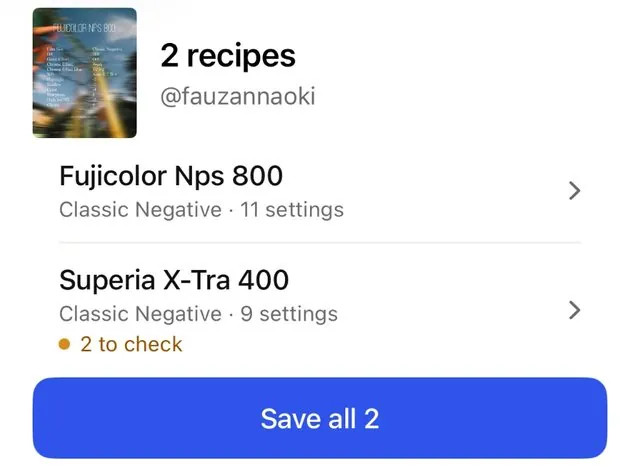
3. Fix anything flagged, then save
Captions are written by people, so spellings and orders vary. When a value can't be read with confidence, it's marked for you to check rather than filled in with a guess. Saved recipes carry the creator's handle and a link to the original post.
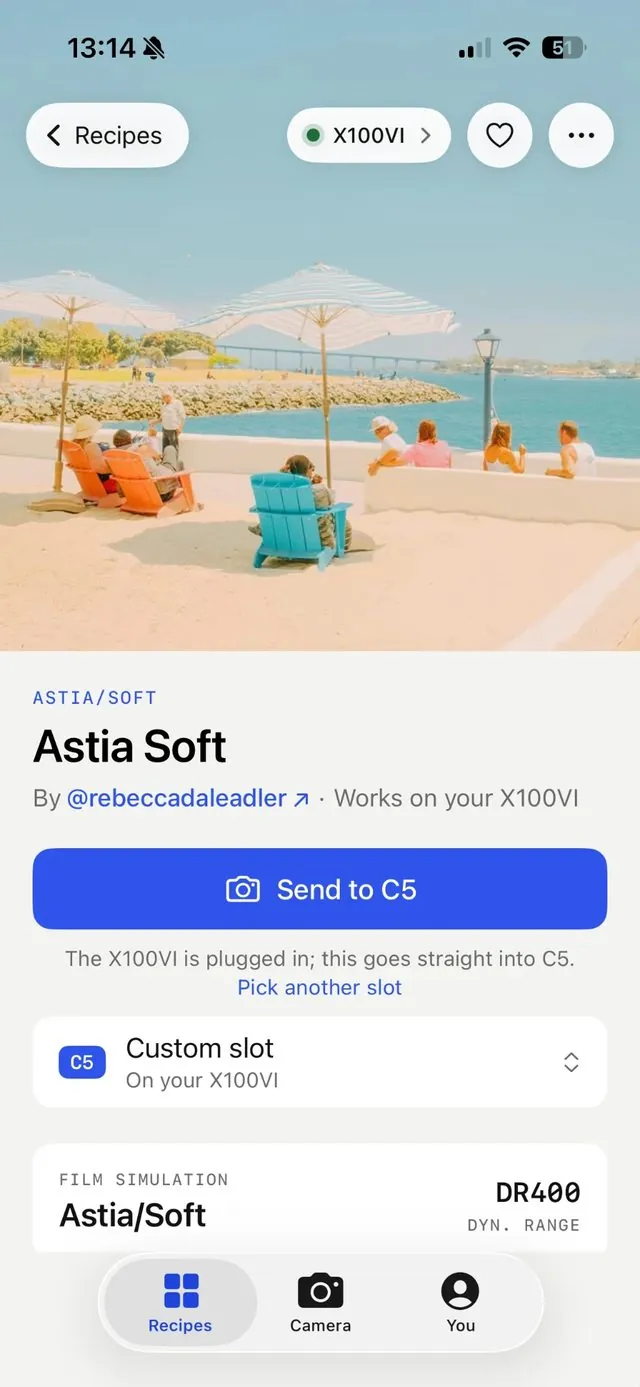
4. Put it in a custom slot
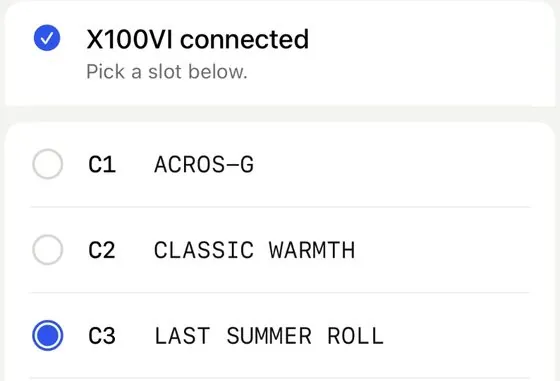
Connect the camera with a USB-C cable that carries data, with the camera set to Network/USB Setting › Connection Setting › PC Connection Mode › USB RAW CONV./BACKUP RESTORE. Choose Send to camera and a slot from C1 to C7. After writing, Half Stop reads the slot back from the camera and compares it with the recipe, setting by setting.
With an X100VI there's no cable needed: pair it once over Bluetooth (pairing steps) and send from anywhere near the camera.
X-Trans IV, X-Trans V and recent GFX cameras can receive recipes; check yours on the Cameras page.
Links, reels and screenshots
Copied a link instead? Instagram's Share › Copy link gives you the post's address; in Half Stop, add a recipe from a link and paste it. This only works for public accounts.
Settings only shown in a reel's video, or a private account? Pause on the frame with the settings, take a screenshot, and share the screenshot to Half Stop (or add a recipe from screenshots inside the app). Text recognition runs on the iPhone itself; the image never leaves your phone.
By hand, without an app
Any Fujifilm camera with custom settings can take a recipe manually. Budget a few minutes per recipe:
- Bookmark the post in Instagram so you can come back to it.
- On the camera: MENU › Image Quality Setting › Edit/Save Custom Setting.
- Choose a slot, give it the recipe's name, and work down the list of settings one by one.
- Leave ISO and exposure compensation for the dials: custom slots don't store them.
What gets messy is the bookkeeping: remembering which recipe sits in which slot, who made it, and what you overwrote. Half Stop's per-recipe checklist follows the camera's own menu order, which helps even on bodies it can't send to.
Once it's in the camera
- Pick the slot from the Q menu, or with Select Custom Setting in the Image Quality menu.
- Shoot JPEG, or JPEG + RAW. A recipe only changes the JPEG; the RAW file stays neutral, so you can still edit it later.
- Set ISO and exposure to what the recipe suggests. Many recipes are tuned for +⅓ to +⅔ exposure, and DR400 needs a higher minimum ISO.
- Try it in the light it was made for. A recipe built for golden hour can look flat at noon; that's the recipe, not your camera.
When it doesn't work
- Half Stop isn't in Instagram's share menu
- Scroll the app row to the end, tap More and switch it on. If it still isn't listed, open Half Stop once after installing, then try again.
- Only some settings came through
- The caption probably skipped them or used unusual wording. Check the flagged ones against the post; anything the creator didn't list is normally Off or 0.
- The camera isn't found over USB
- Check the connection mode above, that the camera is switched on, and that the cable carries data (many charging cables don't). Unlock your iPhone and plug the camera in directly, without a hub.
- The recipe uses a simulation my camera doesn't have
- Half Stop says so before sending and suggests the nearest one your camera has. Reala Ace, for example, isn't on X-Trans IV bodies.
- A setting didn't go in
- The Sent page lists it. Set that one in the camera's menu; the rest of the slot is already done.
More answers are in the FAQ.
What's in a Fujifilm recipe
A quick reference for reading captions. Not every recipe lists all of these.
- Film simulation: the base look, such as Classic Chrome, Classic Negative, Reala Ace, Nostalgic Negative, Eterna or Acros. Newer simulations aren't on older cameras.
- Grain effect: Off, Weak or Strong, plus Small or Large.
- Color Chrome effect and Color Chrome FX Blue: Off, Weak or Strong; they deepen saturated colours and blues.
- White balance: Auto, a preset or a Kelvin value, then a Red/Blue shift from −9 to +9.
- Dynamic range: DR100, DR200 or DR400, protecting highlights.
- Tone and detail: highlight, shadow, colour, sharpness, high ISO noise reduction and clarity. Below 0 on highlight and shadow is softer, above 0 is punchier.
- ISO and exposure compensation: suggestions for shooting, set on the dials.
Get Half Stop
Save recipes from Instagram and send them to your camera, free to start, with a 7-day free trial of Pro. For iPhone.


Half Stop is not affiliated with Fujifilm or Instagram. Fujifilm and film simulation names are trademarks of FUJIFILM Corporation.